
In this chapter, I will show you how to set up your mailing list software.
A mailing list is a must if you want to build a successful indie publishing business. Unfortunately, this is not as simple as keeping a list of email addresses and using your email software to send out newsletters to your list.
Because of global anti-SPAM laws, sending to any more than a hundred recipients at a time is likely to get your email account suspended.
It’s also difficult to manage a mailing list manually.
Mailing list software solves this problem by providing a platform compliant with anti-SPAM laws, while also providing a convenient way to manage a large list of contacts. As most marketers use mailing lists, it’s also quite a lucrative business—so there are hundreds of companies offering mailing list software. These offerings range from free to many hundreds and even thousands of dollars a month.
For authors who are starting with their indie publishing business, my advice is simple:
- The mailing list software should be free; and
- It mustn’t require a developer to set up.
The first criterion is the most important for new authors. It may be months, even years before you make enough money from your books to cover the cost of a mailing list subscription. Unless you have another income where you can cover the cost, finding the money each month for another subscription is a stress that Creative Brain doesn’t need.
Unfortunately, free and low-cost services attract lots of spammers, so you run into issues of deliverability. If you are emailing from a server that has a history of sending low quality and spam email, your emails risk being sent straight to the spam folder or not being delivered at all.
When you are starting, I recommend Kit (formerly ConvertKit).
Kit has two free options. There is the limited free account for up to 1000 subscribers, or there is the Newsletter account which is free up to a massive 10,000 subscribers and has more functionality than the limited free account.
While 10,000 subscribers sounds like the bargain of the century, there is a catch—you must allow Kit to promote a minimum of one other Kit creator account inside any emails you send to your subscribers. This is basically allowing ads within your communications and has the potential to siphon subscribers off to a competitor, so may not be for everyone.
I’ve used both free accounts, and to be honest, when you are first starting out there’s not enough difference for you to need to worry about it. It is also super simple to change from one to the other, as I will show you later.
Kit also has the advantage of being one of the most highly rated paid apps out there for creators, with sophisticated work flows and a set of tools specifically designed for authors and other creators. Kit also make it very easy to move to a paid subscription when your list gets large enough to justify the expense.
The only caution on staying with Kit for your whole publishing journey is they do get quite expensive once your list passes 5000 or more, so you really must be fully monetizing the list by then to cover your costs.
My suggestion if you are undecided is to go with the free account and concentrate on those first 1000 subscribers. After you’ve got to 1000, make the decision whether you want to stay free and switch to the Newsletter plan, or go to one of Kit’s paid subscriptions.
I don’t explain how to set up a paid account in this book, as it doesn’t meet the first criteria. With Kit it’s a no brainer anyway: one of those “click a button and add your credit card details” tasks which we’re all used to.
Set up Kit
Setting up a Kit account is very easy.
First, go to your favorite browser and search “convertkit”, or just go straight to their website https://kit.com.
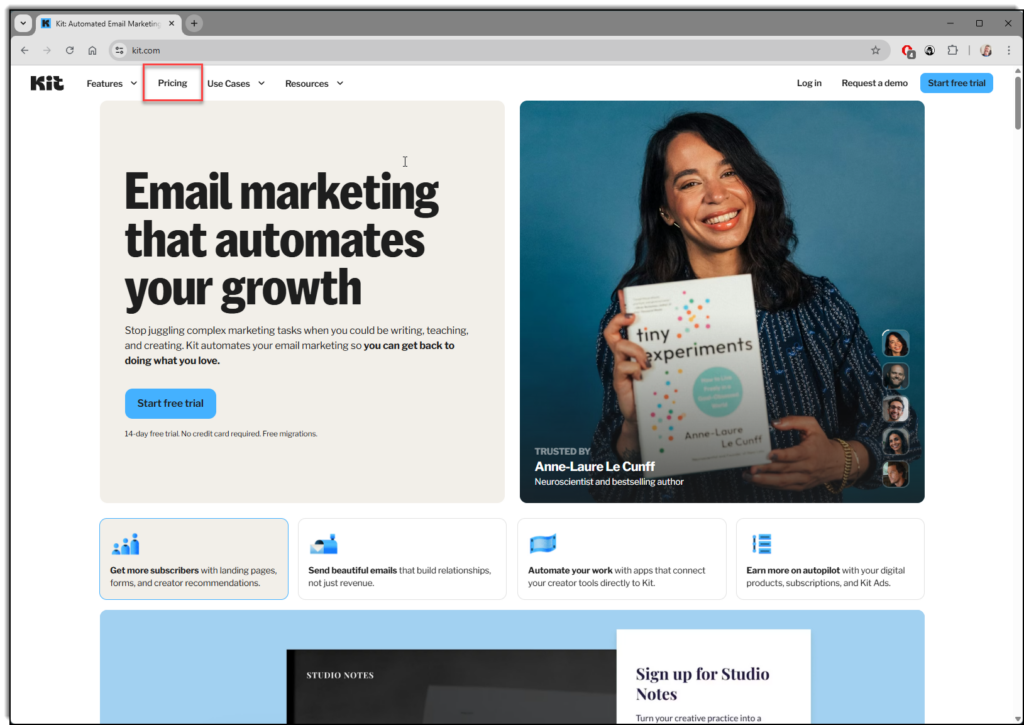
As of February 2026, the Kit homepage looks like the image below.
You have two options for signing up:
- If you want to subscribe to the regular 1000 subscriber free account, click “Start Free Trial”.
- If you want to sign up for the 10,000 subscriber newsletter plan, you must first click on “Pricing” in the top menu (I’ve put a red box around it in the screen shot above). Then click “sign up free” on the pricing page.
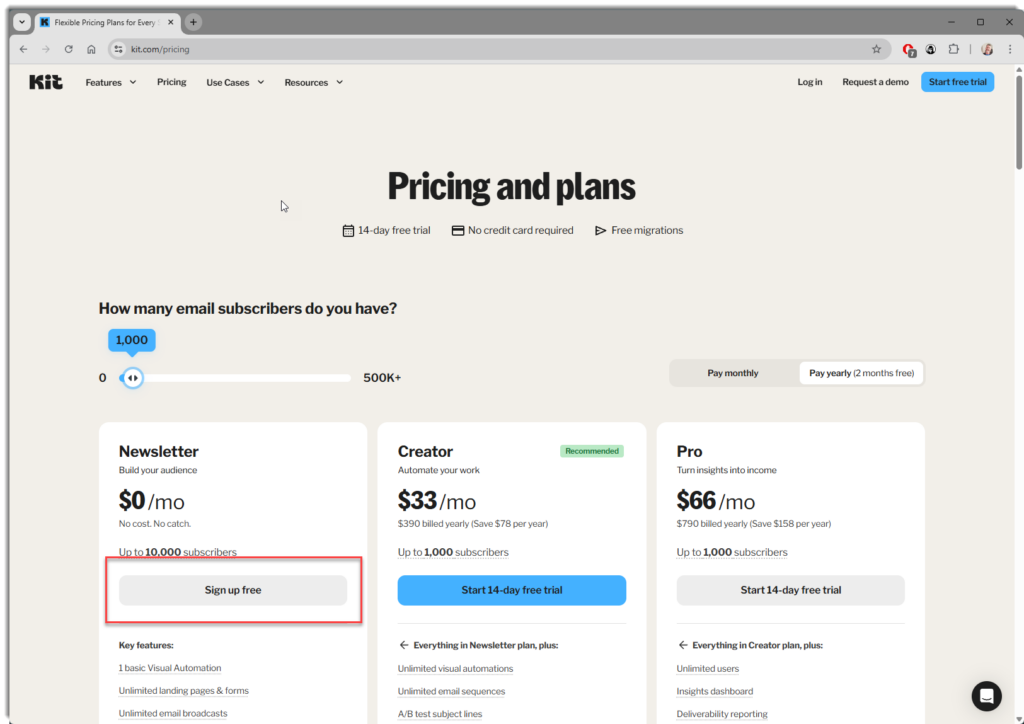
Don’t worry about the free trial offer at this stage, you don’t need a credit card to sign up and I’ll show you how to cancel the trial in a moment.
Regardless of which plan you select, the next few steps are identical. First, you need to create an account.
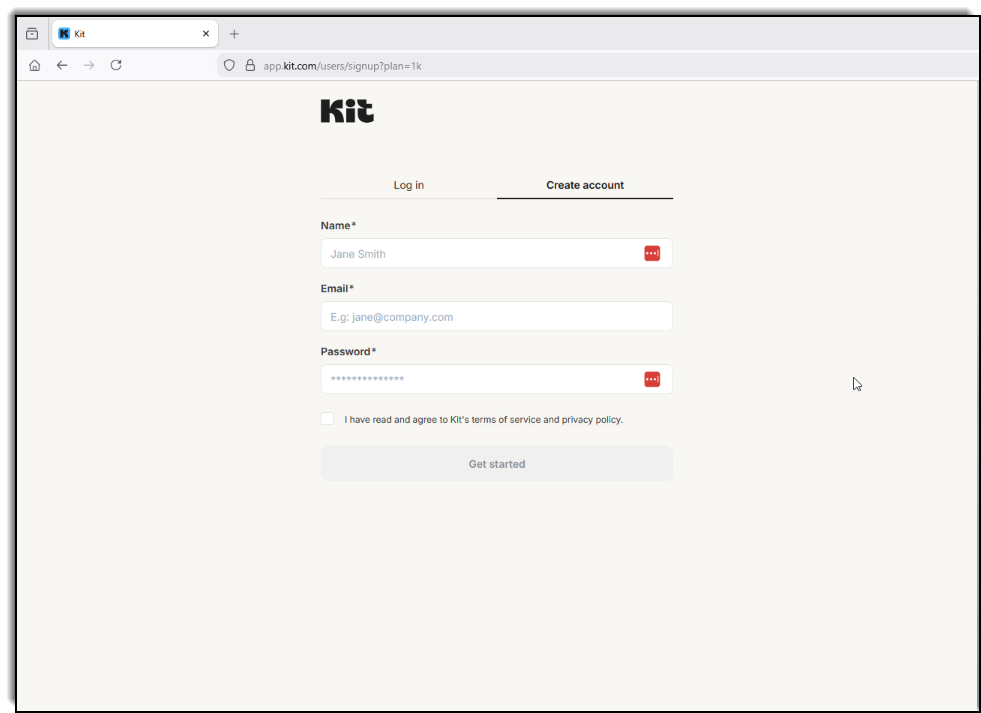
Next, Kit will ask you a bunch of questions to set up your account. Other than putting in your business name, it doesn’t matter what you answers are as any settings Kit creates based on your answers can be changed later.
At the end of the questionnaire, if you selected the free trial, Kit will ask you to subscribe to the creator plan. You don’t have to enter any credit card information. Just click “I’ll do this later” to continue.
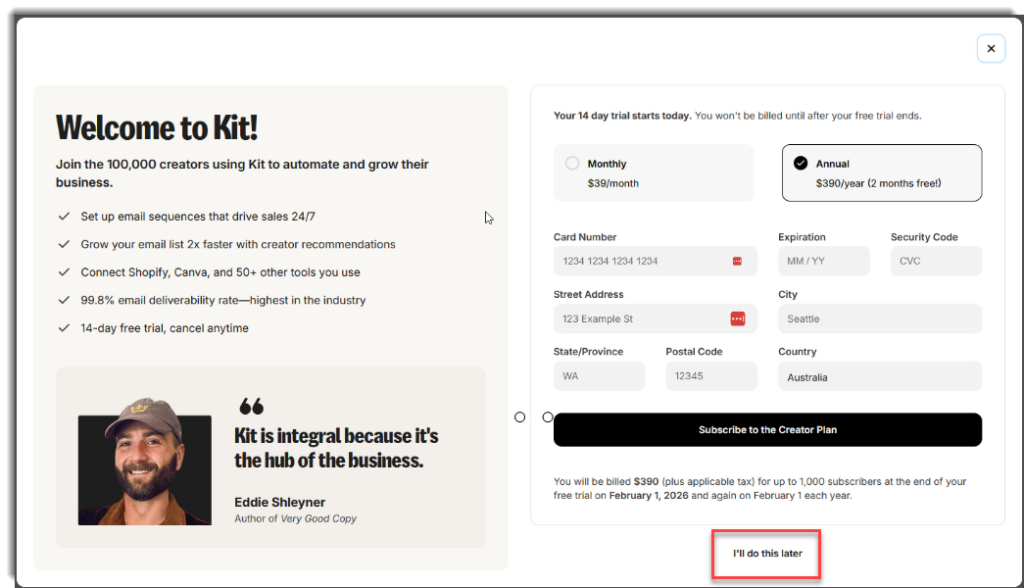
And you’re done!
You should now be looking at Kit’s welcome dashboard.
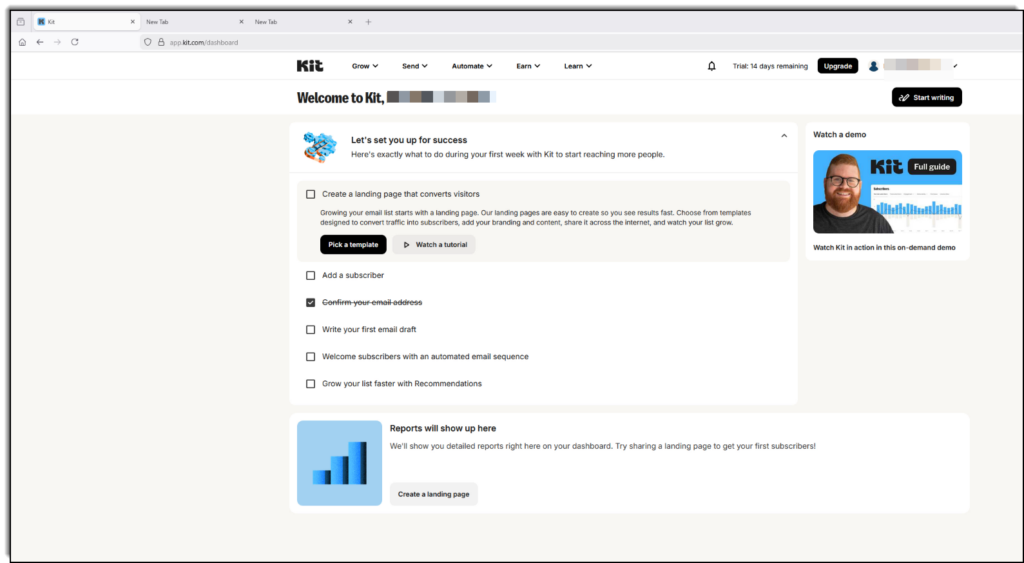
If you signed up for the free trial, there is one more thing you need to do to switch to the free 1000 subscriber account.
Click on your business name in the top right corner of the screen and click “Settings”. Once you are in Settings, click “Account & Billing”.
Finally, click the “Cancel trial” link and your account will now be a free account, no credit card required.
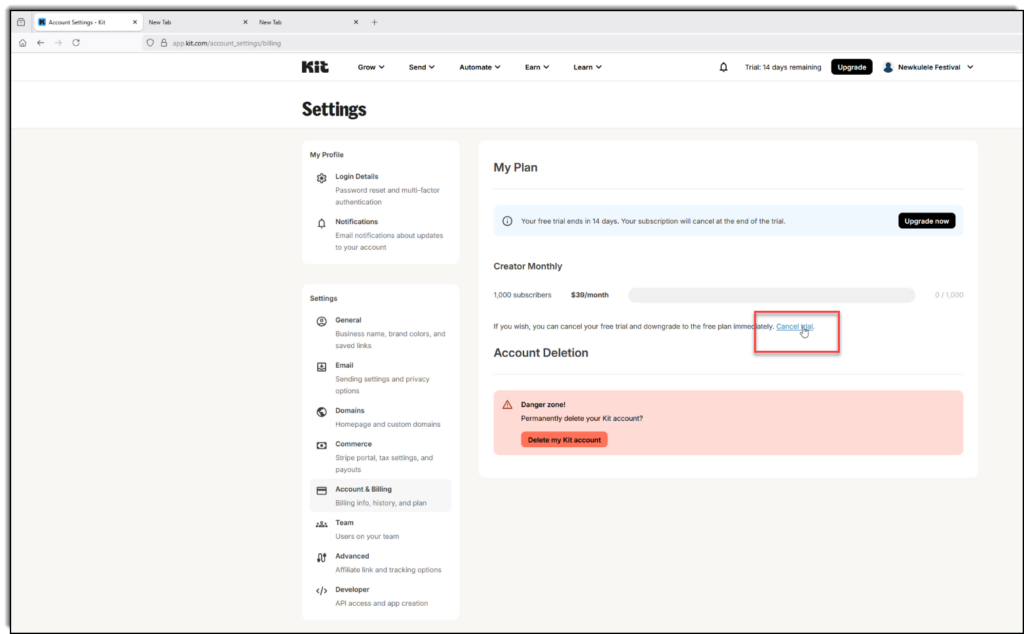
One final hint—if you wanted to change your free plan, either from the free 1000 subscriber plan to the newsletter plan, or vice-versa, send an email to the Kit support team and they will send you a link to easily convert from one to the other.
That’s it for setting up your mailing list. In the next chapter, we’ll start building you author website.